

If you run a clinic, dental practice or therapy centre in Singapore, patient and business records support daily operations. A clear approach to account access, backups and staff procedures can reduce avoidable disruption and make incidents easier to manage.
This clinic data security checklist covers practical operational steps. It is not legal or compliance advice, and it does not replace an assessment of your clinic’s specific systems and obligations.
1. Know What Data You Hold and Where It Lives
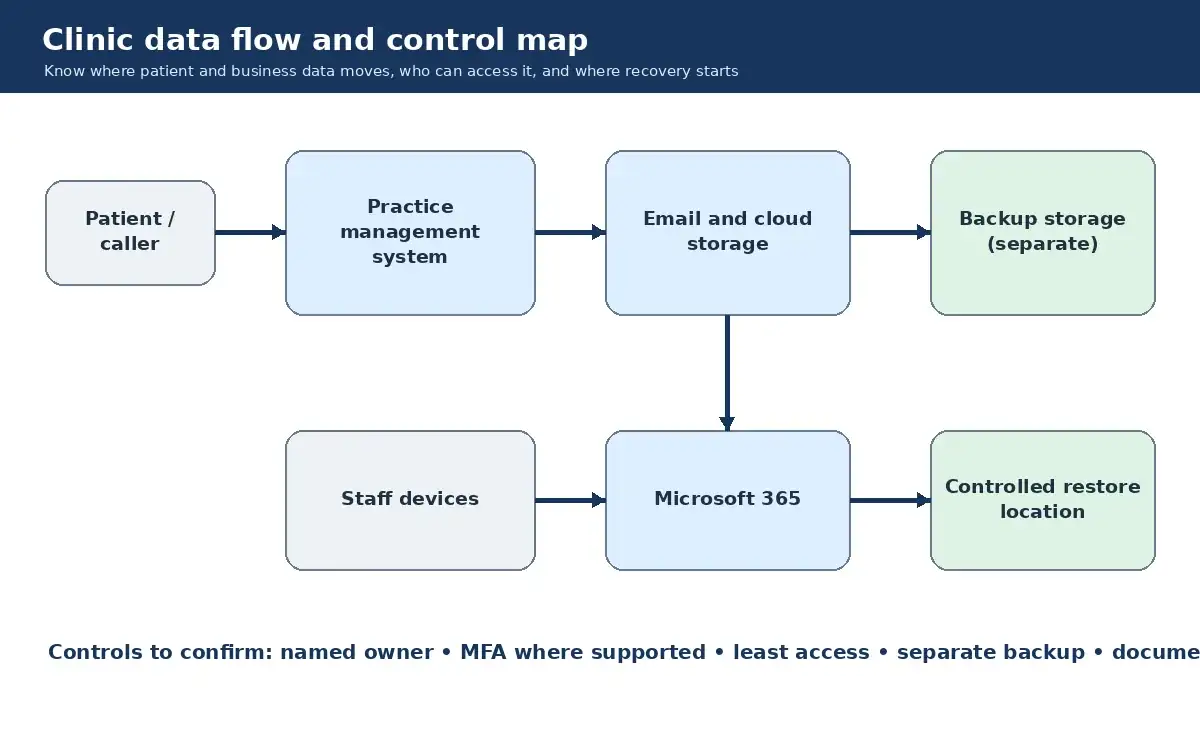
Patient records, appointment logs, payment details and staff information may sit across practice management software, email inboxes, cloud drives and work devices. Start with a simple inventory:
- Which systems store patient or business data?
- Who has access to each system?
- Which devices and integrations connect to them?
- Where are the backups stored?
A one-page spreadsheet can be enough to begin. Record the system owner, the type of data held and when access was last reviewed.
2. Protect Accounts According to Risk
A compromised account can expose sensitive data or interrupt clinic operations. Prioritise the accounts that carry the greatest business impact:
- Multi-factor authentication (MFA): enable it for email, cloud storage, practice management software and other accounts handling sensitive or business-critical data where the tool supports it. If a system does not support MFA, restrict access, use unique credentials, monitor sign-ins where possible and plan how to replace or better isolate the system.
- Strong, unique passwords: use a business password manager so staff do not have to reuse or memorise credentials.
- Access reviews: remove access promptly when someone leaves or changes role, and check shared or dormant accounts regularly.
3. Back Up Important Data and Test the Restore Process
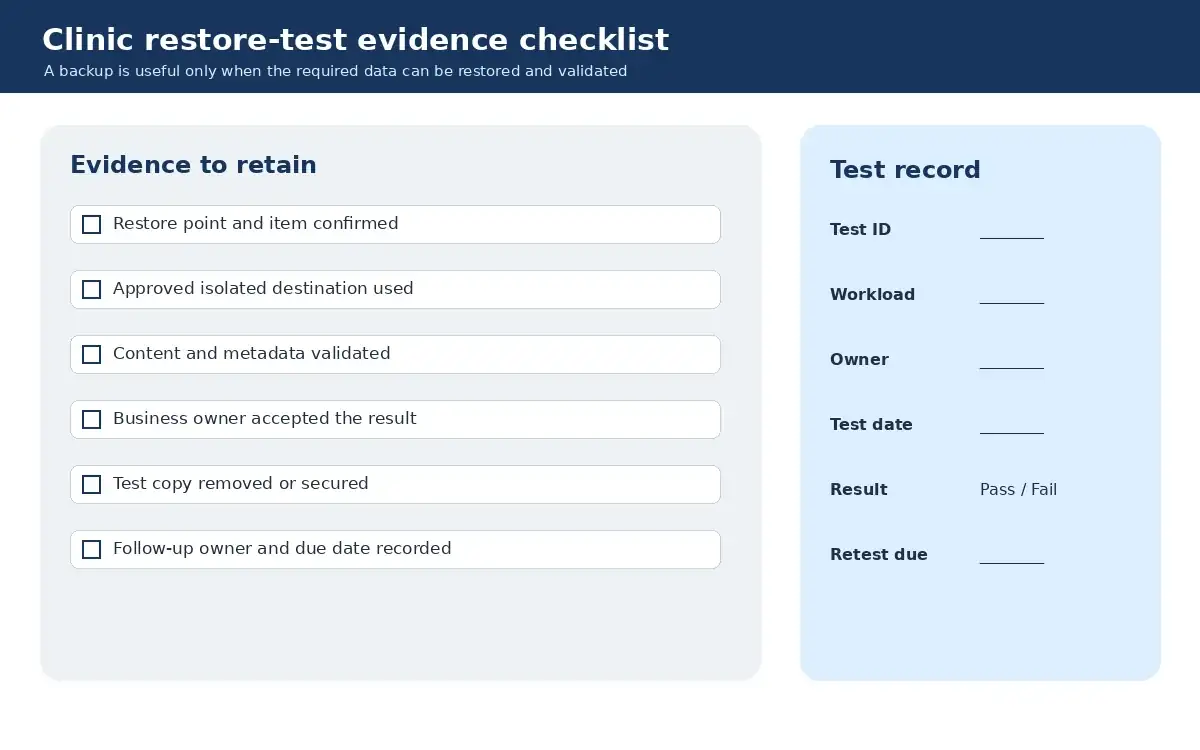
A backup is useful only if the required data can be restored when needed. Keep backups separate from the systems they protect and define which records, devices and cloud services are covered. A local computer failure, server outage or ransomware incident can affect different systems, so one backup method may not cover everything.
Ask when the clinic last completed a documented restore test, what was restored and how long the test took. If the answer is unclear, arrange a controlled test with the responsible IT provider. Sakal Network’s backup and recovery services page explains the available service area without promising that every recovery scenario will have the same outcome.
4. Give Staff Focused Security Guidance
Long policies are hard to use during a busy shift. Give staff short, role-specific guidance on the situations they are likely to face:
- Suspicious messages: show staff how to pause and verify unexpected links, attachments and requests for credentials or payment.
- Device habits: avoid shared logins, lock screens when unattended and keep passwords out of visible notes or unprotected files.
- Reporting: provide one clear contact and an alternative method of contact if normal email or systems are unavailable.
Any phishing simulation should be authorised, scoped and followed by useful coaching rather than used to embarrass staff.
5. Plan for Possible Operational Disruption
If a clinic system becomes unavailable, appointments, staff work and billing may be delayed. The exact impact depends on which system is affected, how long it is unavailable and whether a workable fallback exists.
A basic incident plan should answer:
- Who can decide to isolate or shut down a suspected system?
- What temporary process will staff use for essential work?
- How will affected patients be contacted if necessary?
- Who will coordinate technical help and business decisions?
Keep the contact list accessible even if the main systems are offline, and periodically talk through a realistic scenario with the team.
Next Step
This checklist is a starting point for operational readiness, not a compliance programme. For help reviewing account controls, backups and day-to-day IT operations, read about Sakal Network’s managed security services or contact the Sakal Network team to discuss your current setup.